
Understand any word, right where you read it.

WordMate is a small dictionary for your browser. Select a word on any page and read its meaning, hear it spoken, and see synonyms and examples, all without opening another tab.

Free. No account, no ads, no tracking. Desktop Chrome.

There is a particular kind of in reading widely: you follow one sentence and end up somewhere you never planned to go. The problem was never curiosity. It was the friction: every unknown word meant a new tab, a search box, and a train of thought left behind. The reader learns to love the detour, and to read for instead of speed.

Certains mots sont , ils passent comme un souffle et on les oublie aussitôt. D'autres portent une douce, et on s'en souvient longtemps.

朝の森では、が静かに地面まで届いていた。彼の返事はで、意味がよく分からなかった。

Dengan yang sama, ia membuka artikel itu sekali lagi dan membacanya sampai selesai, meski pada kampung halaman terus mengganggu pikirannya.
That tooltip is drawn with the extension's own stylesheet, and the entry is a real lookup, captured on 28 October 2026. Close it, then try another underlined word.

On real pages

The demo above replays lookups captured from the extension. On an actual page, the same tooltip appears next to the word you selected, in the language of the word itself.

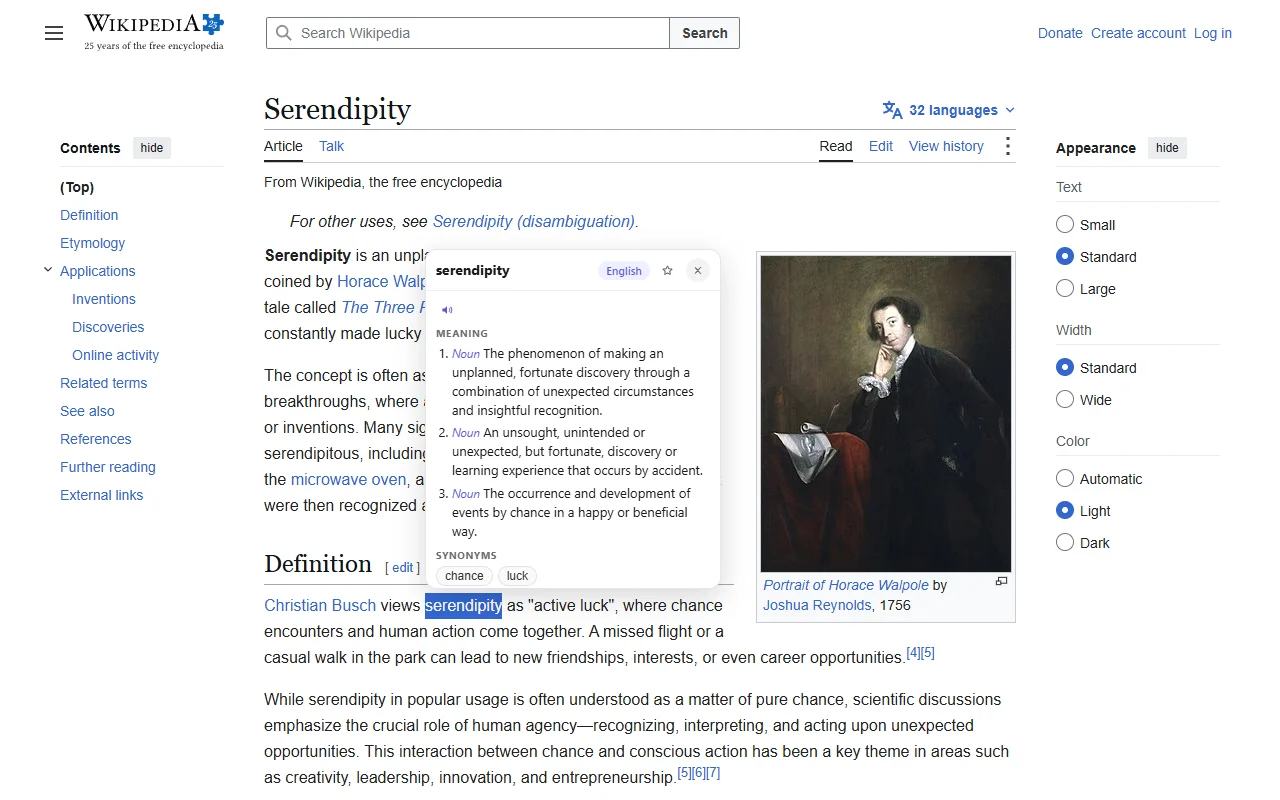
WordMate tooltip open on an English Wikipedia article
WordMate on an English Wikipedia article.
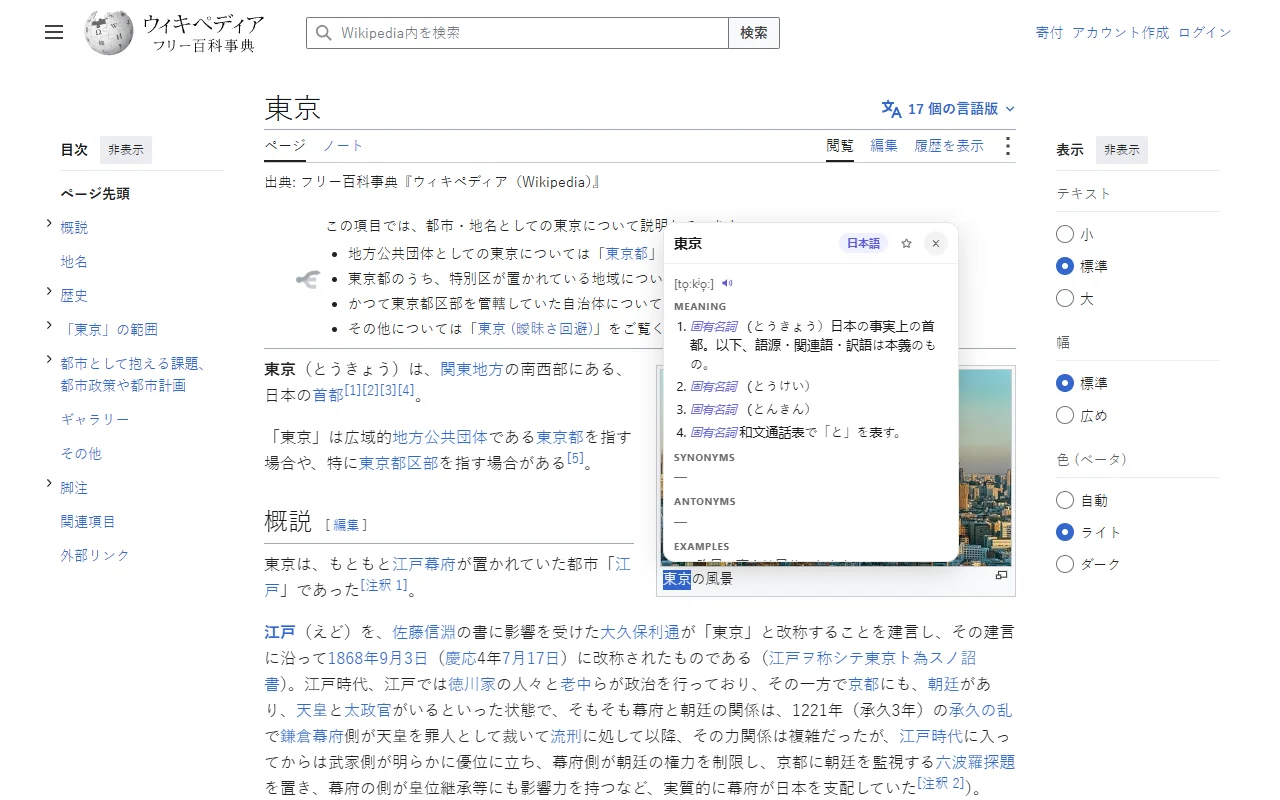
WordMate tooltip open on a Japanese Wikipedia article
The same tooltip on Japanese Wikipedia. WordMate works out the language from the word itself.

Eight languages

English · Français · Español · Italiano · 日本語 · Bahasa Indonesia · 한국어 · 中文

WordMate works out the language from the word you select. If it ever guesses wrong, you can pin a language from the toolbar icon. Chinese accepts Simplified input; its definitions come back in Traditional characters, the way Wiktionary writes them.

What leaves your browser

When you look a word up, WordMate sends that word, and only that word, to the dictionary services it uses: FreeDictionaryAPI, Wiktionary, Tatoeba and Datamuse. As with any web request, those services see your IP address.

Everything else stays in your browser. Words you have looked up are cached on your device for 30 days, your answer to the notice below is stored on your device, and words you star are kept on your device too. Your language choice sits in Chrome's settings storage, which Chrome itself can sync between your browsers if you have Chrome sync on. Pronunciation uses your browser's built-in speech, preferring an on-device voice; if your browser has no on-device voice for a language, it may use an online voice, and that voice service receives the word when you press the speaker button.

A quick data notice WordMate sends only the word you select to free dictionary services (FreeDictionaryAPI, Wiktionary, Tatoeba, Datamuse) to fetch its definition. Nothing else leaves your device.

The notice WordMate shows before your first lookup. Until you agree to it, WordMate makes no requests at all.

This website has no analytics and sets no cookies. Read the full privacy policy.

Questions

Why does WordMate need access to all websites?

Because it has to be present on the page you are reading to see the word you select. It does nothing until you select a word and click its button, and before you agree to its data notice it makes no network requests at all.

Can I hear a word spoken?

Yes. Each entry has a small speaker button next to the phonetic text. Click it and your browser speaks the word in its own language, using the browser's built-in speech. WordMate prefers an on-device voice when one is available, and nothing is spoken until you click.

Can I keep the words I look up?

Yes. Click the star in the tooltip and the word is kept in a list in the toolbar popup, with its phonetic text and first definition. The list stays on your device and nothing is sent anywhere. You can remove words there, undo a removal, hear a word spoken, and export the list as a TSV file for flashcard apps.

What language are the definitions in?

Definitions for French, Spanish, Italian, Japanese, Indonesian, Korean and Chinese words come from that language's own Wiktionary, written for people who speak it. English words are defined in English.

Does it work on PDFs or in Google Docs?

On ordinary web pages, yes. It cannot read selections inside Chrome's built-in PDF viewer. Google Docs draws its text in its own way, so lookups there are unreliable.

Which browsers does it work in?

Desktop Chrome. WordMate is published in the Chrome Web Store, and that is the only browser it is tested in.

Why is it free?

The dictionaries behind it are free community projects, and WordMate has no servers of its own to pay for. There is nothing to charge for.

Does it work on a phone?

No. Chrome on phones cannot run extensions, so WordMate is desktop only.

Try it on the next word you don't know.

Add to Chrome, it's free

Free, and it stays free.